
Affiliate disclosure: Health Picks PRO may earn a commission if you buy through links on this page, including Amazon links (as an Amazon Associate I earn from qualifying purchases) and telehealth and screening partners, at no extra cost to you. This does not change our conclusions. This article is research-based: we did not personally try the products mentioned. Read our full disclosure.
Last updated: November 15, 2026 · Research-based buyer’s guide · Not medical advice
“Can you turn it down?” If that line comes up in your living room every evening, you are not alone. Needing the TV louder than other people like is one of the most common early signs of hearing loss, and modern TV sound makes it harder: background music, effects and fast, quiet dialogue all compete for the same speakers. This guide covers the best hearing aids for watching TV in 2026 among over-the-counter (OTC) models, explains how TV sound actually gets to your ears, and finishes with seven practical tips to hear dialogue clearly, with or without hearing aids.
How we researched this: this roundup is based on the manufacturers’ own product, accessory and support pages for the models mentioned, FDA consumer guidance on OTC hearing aids, NIDCD information on hearing aids and assistive listening devices, and our own research-based reviews, all checked in November 2026. Features are stated as manufacturer claims. We do not quote live prices, because they change often.
Medical disclaimer: This article is general information, not medical advice. OTC hearing aids are for adults 18+ with perceived mild to moderate hearing loss. See a doctor or hearing professional if you have sudden or one-sided hearing loss, ear pain or drainage, dizziness, or ringing in one ear. Read our medical disclaimer.
Quick picks: OTC hearing aids for TV
- Most future-ready streaming: Jabra Enhance Select M2 — Bluetooth streaming on iPhone and Android, plus LE Audio and Auracast support, per Jabra.
- Best if you want a TV box and buttons: Sennheiser All-Day Clear — an optional TV Connector sends TV sound to the aids, and push buttons handle volume, per Sennheiser.
- Best value for mixed iPhone and Android homes: ELEHEAR Beyond Pro — Bluetooth 5.3 streaming of videos and music on both platforms, per ELEHEAR.
- Earbud look for iPhone users: Sony CRE-E10 — iPhone-only streaming and discontinued by Sony in 2026, so only while stock lasts.
- Simple and discreet: Nebroo — tiny in-canal aids without streaming on the base model; best for quiet living rooms.
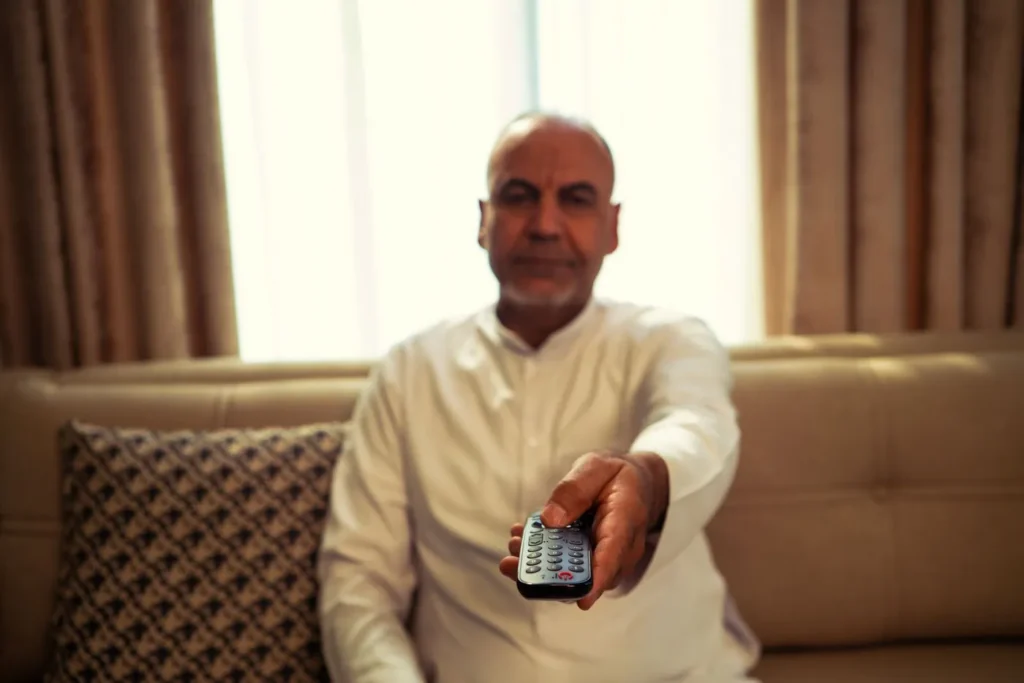
Why TV dialogue is so hard to hear
Most age-related hearing loss affects high pitches first. Those are the frequencies that carry consonants such as “s,” “f,” “th” and “t,” which is why voices can sound loud enough but still unclear. TV makes this worse in three ways:
- The mix. Films and dramas are mixed with music and sound effects at the same time as speech. Raising the volume raises everything, so the dialogue never really stands out.
- Thin speakers. Flat-screen TVs have small speakers that often point down or backwards, so speech bounces around the room before it reaches you.
- Distance and echo. Sound weakens over distance, and hard floors, bare walls and windows add echo that blurs words.
The result is the familiar pattern: you turn it up, everyone else turns it down, and you still miss the punchline. If this sounds like you, our signs you need hearing aids guide covers other everyday clues worth noticing.
What makes a hearing aid good for watching TV
Any hearing aid that suits your hearing can help with TV, because it boosts the speech frequencies you are missing. But a few features make a big difference in the living room:
- A way to stream TV sound directly. This is the single biggest upgrade. When dialogue goes straight from the TV (or a phone or tablet) into your aids, room echo and distance stop mattering. Options include a TV streamer accessory, Bluetooth streaming from a phone or tablet app, and, increasingly, Auracast broadcast audio.
- Your own volume. With streaming, you set your level and the TV speakers can stay where the rest of the household likes them.
- A TV, media or music program. Some aids include a preset that is tuned for TV or media sound. It is quicker than fiddling with settings every evening.
- Easy controls from the sofa. Buttons on the aid or a simple app screen matter when you want a quick change in a loud scene.
- Battery life for long evenings. Streaming drains batteries faster than normal listening, so look at the maker’s claimed hours with streaming, not only the headline figure.
- Phone compatibility. If you will stream through a phone or tablet, check that your exact device is on the maker’s compatibility list.
Best OTC hearing aids for watching TV in 2026
Here is how five popular OTC options compare for TV listening. Details are as stated by the manufacturers when we checked in November 2026; confirm them on the current listing before you buy.
| Model | Style | How TV sound reaches you (maker’s claim) | Everyday controls | Best for |
|---|---|---|---|---|
| Jabra Enhance Select M2 | Mini receiver-in-ear | Bluetooth streaming from iPhone and Android; Bluetooth LE Audio and Auracast support | Mainly the app (volume, bass/treble, presets) | App users who want the most future-ready streaming |
| Sennheiser All-Day Clear | Receiver-in-canal (Slim earbud-style version also sold) | Optional TV Connector accessory sends TV sound to the aids; Bluetooth Classic from phones and tablets | Push buttons on the aids plus a simple app | People who want a TV box and buttons, not an app |
| ELEHEAR Beyond Pro | Behind-the-ear, receiver-in-canal | Bluetooth 5.3 streaming of videos and music from iPhone and Android; no Auracast | App plus on-device buttons | Mixed iPhone and Android homes on a mid-range budget |
| Sony CRE-E10 | Earbud-style | Bluetooth streaming and calls on iPhone only (per Sony) | Sony Hearing Control app | iPhone users who like an earbud look, while stock lasts |
| Nebroo (Pro 3.0 / Infinity) | Completely-in-canal | No streaming on Pro 3.0; Infinity line adds preset modes including music and movies, per Nebroo | Small button on the aid | Simple, discreet TV help in a quiet living room |
Swipe the table sideways on mobile to see all columns.
1. Jabra Enhance Select M2: most future-ready streaming
Jabra says the Enhance Select M2 is a mini receiver-in-ear OTC aid that streams calls, music and other audio from both iPhone and Android phones. It also lists support for Bluetooth LE Audio and Auracast, the newer broadcast standard that may let you tune in to compatible TVs and public venues as it rolls out. Setup and everyday adjustments run mainly through the app, with volume, bass and treble controls and presets. Jabra lists about 24 hours per charge and a pocket charging case with about three extra charges.
Good for TV if: you are comfortable with an app, you already stream shows on a phone or tablet, and you want a pair that is ready for Auracast-capable TVs and transmitters. Keep in mind: Jabra sells a direct version with remote professional care, a 100-day trial and a 3-year warranty, while the Amazon “M2 Swift” package is self-managed with a 1-year warranty per the listing. Read our Jabra Enhance Select M2 review for the details.
Check Jabra Enhance Select M2 Price on Amazon
2. Sennheiser All-Day Clear: best if you want a TV box and buttons
Sennheiser sells an optional TV Connector accessory that plugs into the TV and sends its sound straight to the All-Day Clear hearing aids, per Sennheiser. That makes it one of the more straightforward OTC setups for people who mainly want help with TV and do not want to route sound through a phone. After a short, roughly five-minute app setup, Sennheiser says you can change volume and programs and answer calls with push buttons on the aids. It uses Bluetooth Classic, can remember two devices and connects to one at a time; it does not support Auracast or telecoil.
Good for TV if: you like the idea of a dedicated TV box and button control. Keep in mind: the TV Connector is sold separately, and Sennheiser notes battery life drops from up to about 24 hours to around 16 hours with heavy streaming. See our Sennheiser All-Day Clear review and Jabra Enhance vs Sennheiser All-Day Clear comparison.
Check Sennheiser All-Day Clear Price on Amazon
3. ELEHEAR Beyond Pro: best value for mixed iPhone and Android homes
ELEHEAR says the Beyond Pro uses Bluetooth 5.3 to stream music, videos and meetings and handle hands-free calls from both iOS and Android devices. Its VOCCLEAR 2.0 processing combines AI noise reduction, directional microphones and speech enhancement, and the app includes a built-in hearing check, modes, volume, noise control and a Music Mode. ELEHEAR lists up to 20 hours per charge and up to four extra charges from the case. The Beyond Pro does not support Auracast; ELEHEAR’s newer Beyond 2 Pro adds it.
Good for TV if: you watch shows on a tablet or phone and want streaming that works whichever platform you use. Keep in mind: some owners report occasional app reconnection quirks, and there is no dedicated TV box. Read our ELEHEAR Beyond Pro review. On a tighter budget, the original ELEHEAR Beyond includes a TV preset among its four modes, per ELEHEAR.
Check ELEHEAR Beyond Pro Price on Amazon
4. Sony CRE-E10: earbud look for iPhone users, while stock lasts
Sony’s CRE-E10 is an earbud-style, self-fitting OTC aid set up through the Sony Hearing Control app. Sony states that Bluetooth audio streaming and hands-free calls are available on iOS only, so it suits iPhone and iPad households that stream TV through an app. Sony lists up to 26 hours of continuous use per charge and a charging case with extra charges. Sony announced that CRE-E10 sales would be discontinued around May 26, 2026, with support continuing under the warranty, so remaining stock is limited.
Good for TV if: you use an iPhone or iPad and like a familiar earbud look. Keep in mind: Android users will not get the same streaming experience. See our Sony CRE-E10 review.
Check Sony CRE-E10 Price on Amazon
5. Nebroo: simple, discreet help in a quiet living room
Nebroo’s best-known Pro 3.0 is a completely-in-canal aid with a small volume button and one standard sound setting, per Nebroo. It does not stream audio, so TV sound still has to travel across the room, which works best in a quiet space with the TV not too far away. Nebroo’s step-up Infinity line adds preset modes, including one for music and movies, and the company also sells Bluetooth versions with an app. Some buyers with milder loss say voices at home and on TV are easier to follow.
Good for TV if: you want something tiny and simple and you mostly watch in a calm room. Keep in mind: read the return terms first. Our Nebroo hearing aids review and what buyers report about Nebroo cover them.
Streaming is the feature that matters most for TV, so our best Bluetooth OTC hearing aids guide is a useful next read. If you are buying for an older parent who finds small devices fiddly, see easiest hearing aids for seniors, and for a full step-by-step approach, our how to choose OTC hearing aids checklist.
How to get TV sound into your hearing aids
There are four common routes. Which one works for you depends on the hearing aids, your TV and the devices you already own.
- TV streamer or connector. A small box plugs into the TV’s audio output and sends sound to the aids. It is the most “set it and forget it” option, but only some brands sell one, and it is usually an extra purchase.
- Phone or tablet streaming. If you watch through streaming apps, play the show on a phone or tablet paired with your aids, or use the TV maker’s or streaming service’s mobile app where it offers private listening. No extra hardware needed.
- Auracast broadcast audio. Compatible TVs, transmitters and venues can broadcast audio to any number of compatible listeners. It is still rolling out, so treat it as a bonus for the future.
- No streaming at all. Your aids simply amplify the room sound. This can still help, especially with a TV program, captions and the room tips below.
7 tips to hear TV dialogue clearly
These steps help whether you wear hearing aids or not, and most cost nothing.
1. Turn on dialogue or speech enhancement
Many TVs and soundbars have a setting called dialogue enhancement, clear voice, speech mode or similar. It lifts the frequencies where voices sit and lowers music and effects. Look in the sound menu; it is often the quickest win.
2. Even out the volume
Night mode, auto volume or dynamic range settings reduce the gap between quiet speech and loud explosions or adverts, so you are not riding the remote all evening.
3. Use captions
Captions give your brain a second way to confirm what was said, which helps with fast talkers, accents and whispered scenes. Many people who wear hearing aids still keep captions on for dramas.
4. Move closer and face the screen
Every extra metre of distance makes speech weaker and lets more echo in. Sitting closer and facing the TV helps, as does seeing faces clearly so you can pick up lip movements.
5. Tame room echo and background noise
Rugs, curtains, cushions and bookshelves soak up echo. Switch off fans, the dishwasher or the radio in the next room while you watch. If your hearing aids have a noise reduction setting, try it.
6. Stream when you can
If your aids can stream, send the TV sound straight to them. You get clearer speech at your own volume, and everyone else can enjoy the show at theirs.
7. Use a TV or media program and keep the aids clean
Save a dedicated TV or media program if your aids offer one, and switch to it when the show starts. Clean domes and wax guards regularly; a blocked wax guard can make everything sound dull, including TV dialogue.
| TV problem | Try this first | Hearing aid feature that helps |
|---|---|---|
| Music and effects drown out voices | Turn on the TV or soundbar dialogue or speech mode | TV or media program; streaming |
| Volume swings between scenes and ads | Try night mode or auto volume leveling on the TV | Streaming with your own volume control |
| Everyone else says it is too loud | Stream to your aids and leave the TV speakers at normal level | TV streamer accessory or phone/tablet streaming |
| Mumbled lines and accents | Turn on captions | Speech-focused program |
| Echoey room | Sit closer, face the screen, add soft furnishings | Directional microphones |
| Kitchen or fan noise | Switch off noisy appliances during shows | Noise reduction setting |
Swipe the table sideways on mobile to see all columns.

Before you buy: a quick check on your hearing
If TV is the main problem, it is worth confirming the kind of hearing loss you have before spending money. A hearing check can show whether your loss is in the mild to moderate range that OTC aids are designed for, and spot a difference between your ears that a doctor should look at. If getting to a clinic is hard, an online visit with a licensed provider is an easy first step to talk through symptoms and options. It is not a full audiology exam and does not replace your own doctor. Our online hearing test guide explains how it works.
Book an Online Hearing Visit with Sesame
Hearing aids vs TV headphones and amplifiers
Wireless TV headphones and TV listening amplifiers can be a simple fix if TV is your only problem. They work only while you wear them in front of the TV, though, and personal sound amplifiers are not hearing aids. If you also miss words in conversations, on the phone or at restaurants, hearing aids help with more of your day. Our hearing aids vs hearing amplifiers guide explains the difference, and OTC vs prescription hearing aids covers when a clinic fitting is the better route.
Paying for hearing aids
IRS Publication 502 lists hearing aids among medical expenses, and many FSA and HSA plans accept OTC hearing aid purchases; check with your plan administrator first. Original Medicare does not cover hearing aids, while many Medicare Advantage plans include some hearing benefit. See Does Medicare cover hearing aids in 2026? and our hearing aids under $500 guide if budget is the deciding factor.
Bottom line
The best hearing aids for watching TV are the ones that get dialogue to your ears with as little room in between as possible. If you are comfortable with an app and want the most future-ready streaming, look at the Jabra Enhance Select M2. If you would rather plug in a TV box and use buttons, the Sennheiser All-Day Clear with its optional TV Connector is a natural fit. The ELEHEAR Beyond Pro is a strong value pick for homes with both iPhones and Android phones. Whatever you choose, turn on dialogue enhancement, use captions and tame the room, and use the full return window to judge your aids during your own favourite shows.
Affiliate disclosure (reminder): As an Amazon Associate I earn from qualifying purchases, and we may earn from the telehealth and screening partners linked on this page. Commissions do not change the research-based information above. Full disclosure.
Medical disclaimer (reminder): This page is not medical advice and not a substitute for care from your own doctor or hearing professional. Read our medical disclaimer.
While you’re looking after your health after 50
Hearing isn’t the only thing worth keeping an eye on as you get older. If heart and circulation health is on your mind, ask your doctor which screenings make sense for you.
Sponsored link (US only); we may earn a commission. Screening is not a substitute for care from your own doctor.
Frequently asked questions
What are the best hearing aids for watching TV?
For most people with perceived mild to moderate hearing loss, the best hearing aids for TV are ones that can stream sound straight from the TV or a phone or tablet, have a dedicated TV or media program, and are easy to adjust from the sofa. Among OTC models, Jabra Enhance Select M2 (Bluetooth LE Audio and Auracast, per Jabra), Sennheiser All-Day Clear (optional TV Connector accessory, per Sennheiser) and ELEHEAR Beyond Pro (Bluetooth 5.3 streaming on iPhone and Android, per ELEHEAR) are popular choices. The right one depends on your phone, your TV setup and whether you prefer an app or buttons.
Can hearing aids connect directly to my TV?
Most hearing aids cannot pair with a TV on their own in the way headphones do. The usual options are a TV streamer accessory that plugs into the TV and sends sound to the aids, streaming the show through an app on a phone or tablet that is already paired with the aids, or, as it rolls out, Auracast broadcast audio from compatible TVs or transmitters to compatible hearing aids. Check the hearing aid maker’s accessory and compatibility pages before you buy.
What is a hearing aid TV streamer?
A TV streamer (some makers call it a TV connector or TV adapter) is a small box that plugs into the audio output of your TV and sends the sound wirelessly to your hearing aids. Dialogue then reaches your ears directly instead of travelling across the room, so room echo and kitchen noise matter less. Not every OTC brand sells one, so check before you choose a model if this is how you want to watch.
Will streaming TV to my hearing aids change the volume for everyone else?
No. When the sound is streamed to your aids, you control your own volume, and the TV speakers can stay at a level that is comfortable for everyone else in the room. That is one of the main reasons people choose streaming for TV, and it can help reduce arguments over the remote.
What is Auracast and do I need it for TV?
Auracast is a newer Bluetooth LE Audio feature that lets one transmitter broadcast audio to any number of compatible listeners. Over time it may let you tune in to compatible TVs, gyms, airports and venues straight from your hearing aids. It is still rolling out, so it is a nice future-proof extra rather than something you need today. Jabra lists LE Audio and Auracast support for the Enhance Select M2.
Do captions help if I already wear hearing aids?
Yes, for many people. Captions give your brain a second channel to confirm fast or mumbled dialogue, accents and quiet scenes. Using captions together with a TV program on your aids or direct streaming is often more comfortable than relying on volume alone.
Are TV headphones or amplifiers a substitute for hearing aids?
Wireless TV headphones and TV listening amplifiers can make the TV easier to hear, but they only help while you are wearing them in front of the TV. Personal sound amplifiers are not hearing aids and are not designed for hearing loss. If you also struggle with conversations, phone calls or restaurants, OTC hearing aids or a visit to a hearing professional may help with more of your day.
When should I see a professional instead of buying OTC hearing aids for TV?
OTC hearing aids are for adults 18 and older with perceived mild to moderate hearing loss. See a doctor or hearing professional first if you have sudden hearing loss, hearing loss in one ear, ear pain or drainage, dizziness, or ringing in only one ear, or if you struggle to hear speech even in a quiet room.
Sources
- FDA: OTC Hearing Aids: What You Should Know (accessed November 2026)
- NIDCD: Assistive Devices for People with Hearing, Voice, Speech, or Language Disorders
- NIDCD: Hearing Aids
- Jabra Enhance: Enhance Select product pages (accessed November 2026)
- Sennheiser Hearing: All-Day Clear and TV Connector pages (accessed November 2026)
- ELEHEAR: Beyond Pro product pages (accessed November 2026)
- Sony: CRE-E10 product and support pages (accessed November 2026)
- IRS Publication 502: Medical and Dental Expenses