
Affiliate disclosure: Health Picks PRO may earn a commission if you buy through links on this page, including Amazon links (as an Amazon Associate I earn from qualifying purchases) and telehealth and screening partners, at no extra cost to you. This does not change our conclusions. This article is research-based: we did not personally try the products mentioned. Read our full disclosure.
Last updated: November 17, 2026 · Research-based buyer’s guide · Not medical advice
The phone is often the first place hearing loss shows up. In person you can watch someone’s face, but on a call you get one tinny voice in one ear, no lip cues, and no way to ask the doctor’s receptionist to repeat that appointment time a third time without feeling awkward. Many people start avoiding calls altogether, which is a real loss when the phone is how you keep up with family, friends and appointments. This guide covers the best hearing aids for phone calls in 2026 among over-the-counter (OTC) models, explains which call features matter, and finishes with practical tips for clearer calls that work with or without hearing aids.
How we researched this: this roundup is based on the manufacturers’ own product and support pages for the models mentioned, FCC information on captioned telephone services, NIDCD information on hearing aids and age-related hearing loss, independent coverage from HearingTracker, and our own research-based reviews, all checked in November 2026. Features are stated as manufacturer claims. We do not quote live prices, because they change often.
Medical disclaimer: This article is general information, not medical advice. OTC hearing aids are for adults 18+ with perceived mild to moderate hearing loss. See a doctor or hearing professional if you have sudden or one-sided hearing loss, ear pain or drainage, dizziness, or ringing in one ear. Read our medical disclaimer.
Quick picks: OTC hearing aids for phone calls
- Best overall for phone calls: Jabra Enhance Select M2 — hands-free calling on compatible iPhone and Android phones, per Jabra.
- Best if you prefer buttons to apps: Sennheiser All-Day Clear — hands-free calls, and you can answer or end calls with the buttons on the aids, per Sennheiser.
- Best for calls in noisy places: Jabra Enhance Select M3 — TapControl to answer calls plus Jabra’s top noise features, per Jabra.
- Best value for iPhone and Android: ELEHEAR Beyond Pro — streams calls and audio from both phone types, per ELEHEAR.
- Budget pick: ELEHEAR Beyond — Bluetooth call streaming on iPhone and Android, per ELEHEAR.
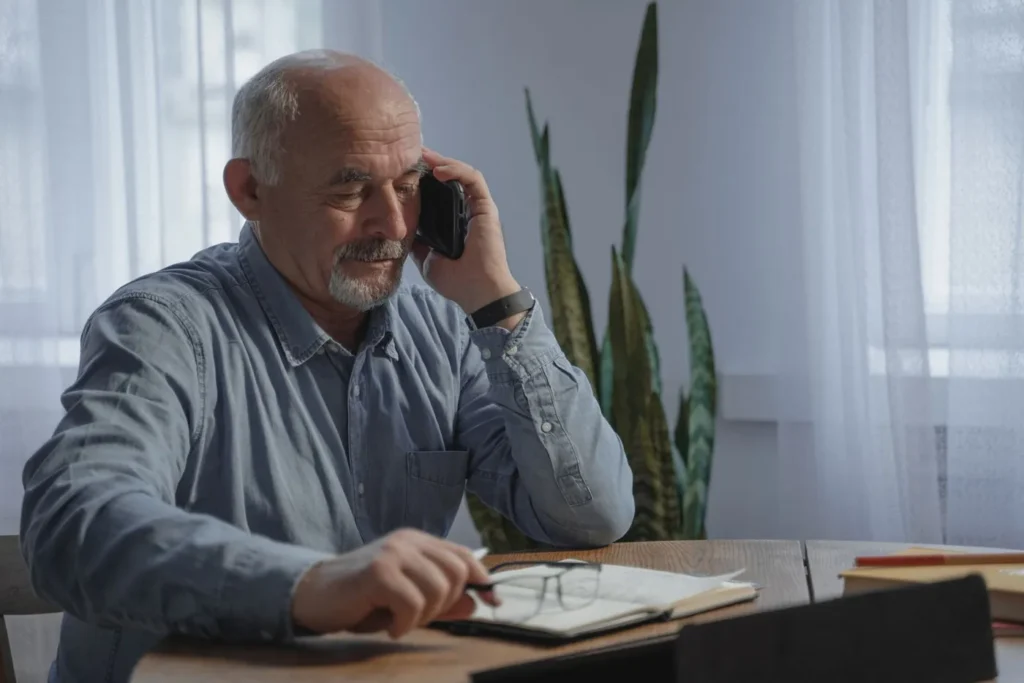
Why phone calls are so hard with hearing loss
Age-related hearing loss usually affects high pitches first. Those frequencies carry consonants such as “s,” “f,” “th” and “t,” which is why “fifteen” and “fifty” or “Tuesday” and “Thursday” start to sound alike. Phone calls make that worse in several ways:
- No visual cues. Face to face, your brain quietly uses lip movements and expressions to fill gaps. On a voice call those cues are gone.
- A narrower sound. Phone audio, especially on older networks and landlines, trims some of the high-pitched detail that people with hearing loss already struggle to hear.
- One ear at a time. Holding a phone to one ear means you are listening with half your hearing, and often the weaker ear when you switch hands.
- Feedback and fiddling. Pressing a phone against a hearing aid can cause whistling, so many people end up holding it at an awkward angle.
- High-stakes details. Appointment times, medication names and phone numbers leave little room for guessing.
If calls are only one of several struggles, our signs you need hearing aids guide lists other everyday clues worth noticing.
Features that make phone calls easier
Volume alone is rarely the fix. These are the features that make the biggest difference on calls:
- Call streaming to both ears. Bluetooth hearing aids can send the caller’s voice straight into both ears, so you hear it at a comfortable level without pressing the phone against your head. This is the single most useful call feature.
- Hands-free calling. The hearing aid microphones pick up your voice, so the phone can stay on the table or in your pocket. Without it, you still have to hold the phone near your mouth.
- Works with your phone. Some hearing aids stream on iPhone only, and Android support can depend on the phone model. Check the maker’s compatibility list for your exact phone.
- Easy answer and hang-up controls. Buttons or a tap on the hearing aid let you pick up a call before it rings out, without hunting for your phone.
- Noise and wind handling. Calls often happen outdoors or in the car. Noise reduction and wind settings help the caller’s voice stand out.
- Battery life. Streaming uses more power than ordinary listening. A long rated battery life and a charging case with extra charges matter if you make long calls.
- Bluetooth LE Audio and Auracast. Newer standards that some models support, which may widen compatibility with future phones and public audio broadcasts.
Our best Bluetooth OTC hearing aids guide covers music and video streaming in more depth, and our how to choose OTC hearing aids checklist covers fit, controls and return windows.
Best OTC hearing aids for phone calls in 2026
Here is how six popular OTC options compare for phone calls. Details are as stated by the manufacturers when we checked in November 2026; features can change, so confirm them on the current listing before you buy.
| Model | Style | Calls stream to both ears | Hands-free talking | Phones (per maker) | Answer a call by |
|---|---|---|---|---|---|
| Jabra Enhance Select M2 | Mini receiver-in-ear | Yes | Yes, on compatible phones | iPhone and Android; Bluetooth LE Audio and Auracast | Phone or app |
| Sennheiser All-Day Clear | Receiver-in-canal | Yes | Yes | iPhone and Android | Buttons on the hearing aids |
| Jabra Enhance Select M3 | Micro receiver-in-ear | Yes | Yes, on compatible phones | iPhone and Android; Bluetooth LE Audio and Auracast | TapControl (tap the hearing aid) |
| ELEHEAR Beyond Pro | Behind-the-ear, receiver-in-canal | Yes | Check the current listing | iPhone and Android (Bluetooth 5.3) | Phone or buttons, per listing |
| ELEHEAR Beyond | Behind-the-ear, receiver-in-canal | Yes | Check the current listing | iPhone and Android (Bluetooth 5.3) | Phone or buttons, per listing |
| Sony CRE-E10 | Earbud-style | Yes, iPhone only | No; hold the iPhone near your mouth | iPhone and iPad only for streaming | iPhone |
Swipe the table sideways on mobile to see all columns.
1. Jabra Enhance Select M2: best overall for phone calls
Jabra describes the Select M2 as a self-fitting mini receiver-in-ear hearing aid with SoundScape speech processing, adaptive volume and hands-free calling on compatible iPhone and Android phones. That means you can take a call with the phone in your pocket and hear the caller in both ears. Jabra also lists support for Bluetooth LE Audio and Auracast, which makes it one of the more future-ready choices for streaming. The app offers volume, bass and treble controls and listening presets, and Jabra lists about a full day per charge with a charging case for top-ups.
Good for calls if: you use a smartphone every day, take lots of calls and want them in both ears without holding the phone. Keep in mind: most adjustments happen in the app, so it suits people who are reasonably comfortable with a smartphone. Read our full Jabra Enhance Select M2 review.
Check Jabra Enhance Select M2 Price on Amazon
2. Sennheiser All-Day Clear: best if you prefer buttons to apps
Sennheiser says the All-Day Clear streams phone calls, music, podcasts and audiobooks from both iPhone and Android phones and supports hands-free calls. After a one-time app-guided setup, you can change volume and programs and answer or end calls with the push buttons on the hearing aids, which many people find easier than tapping through an app while the phone is ringing. Sennheiser also lists automatic environment detection and background noise reduction.
Good for calls if: you want call streaming but would rather press a button than open an app. Keep in mind: the receiver-in-canal design is visible behind the ear. See our Sennheiser All-Day Clear review and Jabra Enhance vs Sennheiser All-Day Clear comparison.
Check Sennheiser All-Day Clear Price on Amazon

3. Jabra Enhance Select M3: best for calls in noisy places
The M3 sits at the top of Jabra’s Enhance Select M Series. It shares the M2’s Bluetooth calling and streaming features and adds TapControl, so you can answer a call by tapping the hearing aid. Jabra describes it as its “best hearing in noise” model, with Auto Focus speech tracking and Advanced Adaptive Listening that adjust automatically as your surroundings change. It is also Jabra’s smallest micro receiver-in-ear design.
Good for calls if: you often take calls in busy places, such as a shop, a cafe or a family gathering, and also struggle with conversation in noise. Keep in mind: it is Jabra’s premium tier, so the M2 may be enough if most of your calls are at home. Our best hearing aids for background noise guide covers noisy places in more detail.
Check Jabra Enhance Select M3 Price on Amazon
4. ELEHEAR Beyond Pro: best value for iPhone and Android
ELEHEAR says the Beyond Pro streams calls and audio over Bluetooth 5.3 from both iPhone and Android phones, which makes it a practical choice for households with a mix of phones. It also includes ELEHEAR’s VOCCLEAR 2.0 processing, which combines AI noise reduction, two directional microphones per aid and speech enhancement, according to the company. The app lets you adjust volume, modes and noise control.
Good for calls if: you want two-ear call streaming on any modern smartphone at a mid-range budget. Keep in mind: confirm on the current listing whether you can talk through the hearing aid microphones or need to hold the phone near your mouth. Read our ELEHEAR Beyond Pro review.
Check ELEHEAR Beyond Pro Price on Amazon
5. ELEHEAR Beyond: budget pick for call streaming
The original Beyond is ELEHEAR’s lower-cost model. ELEHEAR lists Bluetooth 5.3 streaming for calls and audio on iPhone and Android, two directional microphones per aid, AI noise reduction and four preset listening modes, along with a USB-C charging case.
Good for calls if: you want calls in both ears on a tighter budget. Keep in mind: check the listing for hands-free details, and expect fewer processing features than the Beyond Pro. See our ELEHEAR Beyond review.
Check ELEHEAR Beyond Price on Amazon
6. Sony CRE-E10: for iPhone users who like an earbud look
According to Sony’s support pages, audio streaming and calls on the CRE-E10 work only with iPhone and iPad; Android phones can run the Sony Hearing Control app for setup and volume but cannot stream. Sony also notes that you need to keep the iPhone near your mouth during calls so it can pick up your voice. The earbud-style design and wireless charging case appeal to people who want something that looks like everyday earbuds.
Good for calls if: you use an iPhone, like the earbud look and do not mind holding the phone when you talk. Keep in mind: Android users and anyone who wants hands-free calling should look at the picks above. Read our Sony CRE-E10 review.
Check Sony CRE-E10 Price on Amazon
Prefer a simpler device with fewer settings? Our easiest hearing aids for seniors guide focuses on simple controls, and best hearing aids for watching TV covers the other place many people struggle at home.
8 tips for clearer phone calls
These habits help whether or not you wear hearing aids, and they make good hearing aids work even better.
- Use both ears. If your hearing aids stream calls, let them. Hearing the voice in both ears is easier than straining with one.
- Turn on live captions. Many recent iPhones and Android phones can show live captions during calls. Look in your phone’s accessibility settings. Accuracy varies, but captions are a great backup for names and numbers.
- Move somewhere quiet. Turn off the TV, step away from the kitchen and close the window before you pick up. Background noise competes with the caller.
- Try video calls with family. Seeing a face brings back lip cues and expressions. Video calls on a tablet can be much easier to follow than voice calls.
- Ask for key details in writing. For appointments, ask the office to send a text or email confirmation. It is a common request and saves guessing later.
- Tell callers what helps. A quick “I hear better if you speak a little slower” is usually welcome, and most people are happy to adjust.
- Check your phone’s hearing settings. Phones offer options such as hearing device pairing, audio adjustments and phone noise cancellation. A family member can help you set them up once.
- Consider a captioned phone for landlines. In the US, captioned telephone services are available at no charge to eligible people with hearing loss and show the caller’s words as text while you listen.
| Phone-call problem | Try this first | Hearing aid feature that helps |
|---|---|---|
| Voices sound thin or muffled | Turn the call volume up and move to a quiet room | Call streaming to both ears |
| You miss names, numbers and times | Ask the caller to repeat key details or send them by text | Live captions on your phone |
| You keep switching ears | Use both ears instead of one | Bluetooth streaming to both hearing aids |
| Your arm gets tired on long calls | Use speaker mode at home | Hands-free calling |
| Wind and traffic outdoors | Step indoors or out of the wind | Wind noise reduction setting |
| Fumbling to answer in time | Set a longer ring or a distinctive ringtone | Answer with a button or tap on the aid |
Swipe the table sideways on mobile to see all columns.
What about landline phones?
Bluetooth hearing aids are designed to pair with smartphones and tablets, so they usually do not connect directly to a standard landline handset. Older prescription hearing aids often used a telecoil to pick up sound from compatible phones, but most OTC hearing aids do not include one, so check the listing if a landline is your main phone. Practical options include an amplified landline phone, a captioned telephone, or forwarding your landline to a smartphone that streams calls to your hearing aids.
Before you buy: a quick check on your hearing
If phone calls are your main problem, it is worth confirming the kind of hearing loss you have before spending money. A hearing check can show whether your loss is in the mild to moderate range that OTC aids are designed for, and spot a difference between your ears that a doctor should look at. If getting to a clinic is hard, an online visit with a licensed provider is an easy first step to talk through symptoms and options. It is not a full audiology exam and does not replace your own doctor. Our online hearing test guide explains how it works.
Book an Online Hearing Visit with Sesame
When OTC may not be enough
OTC hearing aids are designed for perceived mild to moderate hearing loss. If you still struggle on calls after a fair trial with call streaming, a hearing professional can measure your hearing, fit prescription aids and fine-tune them for phone use, and suggest accessories such as phone clips or remote microphones. Our OTC vs prescription hearing aids guide explains when a clinic fitting is the better route.
Paying for hearing aids
IRS Publication 502 lists hearing aids among medical expenses, and many FSA and HSA plans accept OTC hearing aid purchases; check with your plan administrator first. Original Medicare does not cover hearing aids, while many Medicare Advantage plans include some hearing benefit. See Medicare Advantage hearing aid benefits in 2026 and our hearing aids under $1,000 guide if budget is the deciding factor.
Bottom line
The best hearing aids for phone calls stream the caller’s voice into both ears, let you talk without holding the phone, and work with the phone you already own. For most smartphone users, the Jabra Enhance Select M2 is the strongest all-round choice. If you would rather press a button than open an app, the Sennheiser All-Day Clear is a good match, and the ELEHEAR Beyond Pro offers call streaming on iPhone and Android for less. Whatever you choose, check compatibility with your exact phone, turn on live captions as a backup, and use the full return window to judge your aids on real calls with family and your doctor’s office.
Affiliate disclosure (reminder): As an Amazon Associate I earn from qualifying purchases, and we may earn from the telehealth and screening partners linked on this page. Commissions do not change the research-based information above. Full disclosure.
Medical disclaimer (reminder): This page is not medical advice and not a substitute for care from your own doctor or hearing professional. Read our medical disclaimer.
While you’re looking after your health after 50
Hearing isn’t the only thing worth keeping an eye on as you get older. If heart and circulation health is on your mind, ask your doctor which screenings make sense for you.
Sponsored link (US only); we may earn a commission. Screening is not a substitute for care from your own doctor.
Frequently asked questions
What are the best hearing aids for phone calls?
For adults with perceived mild to moderate hearing loss, the best OTC hearing aids for phone calls stream the call into both ears over Bluetooth, let you answer without touching the phone, and work with the phone you already own. Good choices include the Jabra Enhance Select M2 (hands-free calling on compatible iPhone and Android phones, per Jabra), the Sennheiser All-Day Clear (hands-free calls and buttons to answer or end a call, per Sennheiser) and the ELEHEAR Beyond Pro (call and audio streaming on iPhone and Android, per ELEHEAR).
What does hands-free calling mean on hearing aids?
With hands-free calling, the hearing aid microphones pick up your voice, so the phone can stay in your pocket or on the table while you talk. Without it, the caller’s voice streams to your hearing aids but you still need to hold the phone near your mouth so it can hear you.
Do Bluetooth hearing aids work with both iPhone and Android?
Some do and some do not. Jabra, Sennheiser and ELEHEAR list call streaming on both iPhone and Android for the models in this guide, while Sony says the CRE-E10 streams audio and calls only on iPhone and iPad. Android support can also depend on your phone model and software version, so check the maker’s compatibility list before you buy.
Can I use hearing aids with a landline phone?
Bluetooth hearing aids usually connect to smartphones and tablets, not to a standard landline handset. Most OTC hearing aids do not include a telecoil, so check the listing if you rely on a landline. Many people find an amplified phone or a captioned telephone easier, or forward landline calls to a smartphone that streams to their hearing aids.
Why are phone calls harder to hear than face-to-face conversation?
On a phone call you lose lip-reading and facial cues, the phone line trims some of the high-pitched sounds that carry consonants, and you usually listen with only one ear. For people with age-related hearing loss, that combination makes calls one of the first places they notice trouble.
Are captioned phones a good alternative to hearing aids?
They can work well alongside hearing aids. Captioned telephone services show the words the other person says as text while you listen, and in the US internet-based captioned telephone service is funded through the FCC for people with hearing loss who need it, so it is available at no charge to eligible users. Many smartphones also offer built-in live captions for calls in their accessibility settings.
Do phone calls drain hearing aid batteries faster?
Yes. Streaming calls and audio uses more power than ordinary listening, so expect fewer hours per charge on days with long calls. Charge your hearing aids overnight, and if you spend hours on the phone, look for models with a charging case that holds extra charges.
When should I see a professional instead of buying OTC hearing aids?
OTC hearing aids are for adults 18 and older with perceived mild to moderate hearing loss. See a doctor or hearing professional first if you have sudden hearing loss, hearing loss in one ear, ear pain or drainage, dizziness, or ringing in only one ear, or if you struggle to follow speech even in a quiet room.
Sources
- FDA: OTC Hearing Aids: What You Should Know (accessed November 2026)
- FCC: Internet Protocol Captioned Telephone Service
- NIDCD: Hearing Aids
- NIDCD: Age-Related Hearing Loss (Presbycusis)
- Jabra Enhance: Enhance Select M Series product and support pages (accessed November 2026)
- Sennheiser Hearing: All-Day Clear product pages (accessed November 2026)
- ELEHEAR: Beyond and Beyond Pro product pages (accessed November 2026)
- Sony: CRE-E10 support pages (accessed November 2026)
- HearingTracker: OTC hearing aid coverage
- IRS Publication 502: Medical and Dental Expenses